ClipPilot

AI assistant for YouTube Shorts

You film. We handle the rest.

Connect your channel and the AI writes the title, description, tags and hashtags for every clip. The app picks a time from your channel’s history and schedules the upload. You just review and confirm.
  • Official YouTube Data API
  • Sign in with Google
  • No database — nothing stored
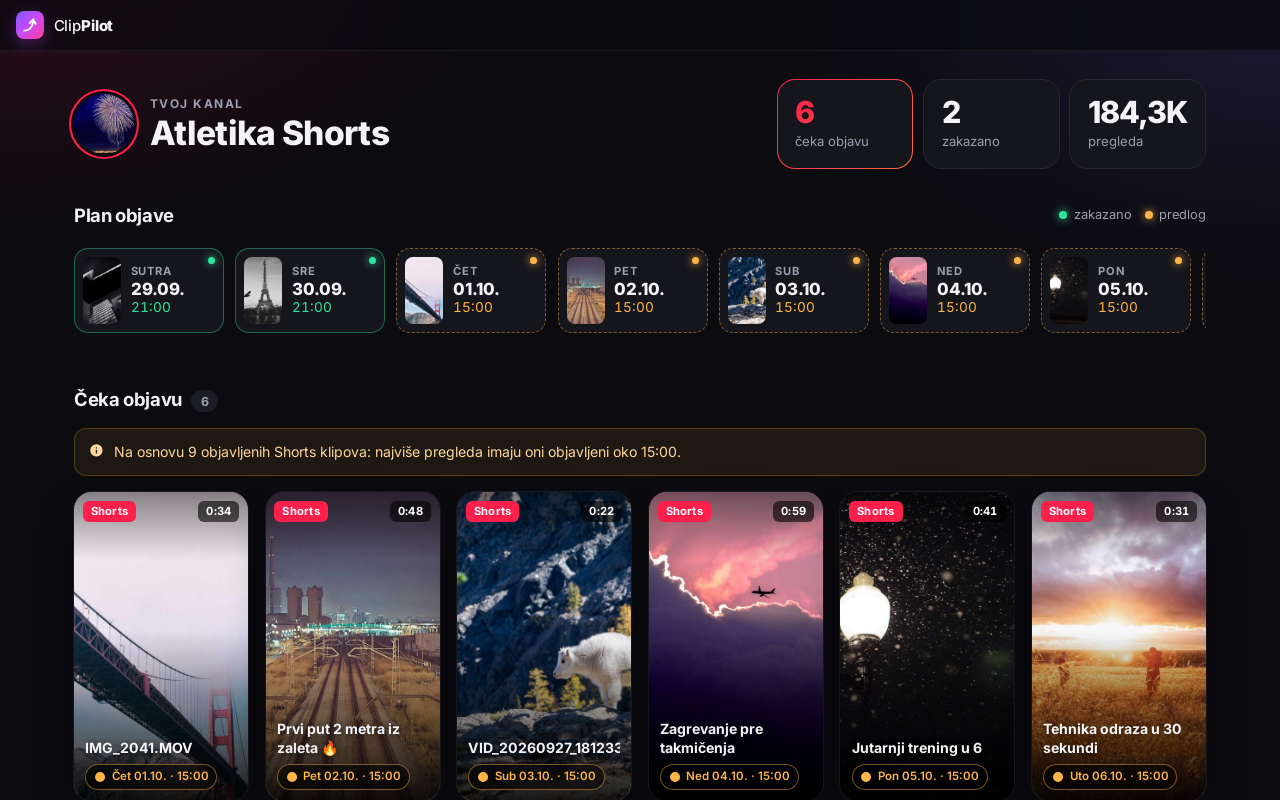
clippilot.backend2.rs/kanal ClipPilot: YouTube Shorts waiting to be published and a day-by-day publishing plan
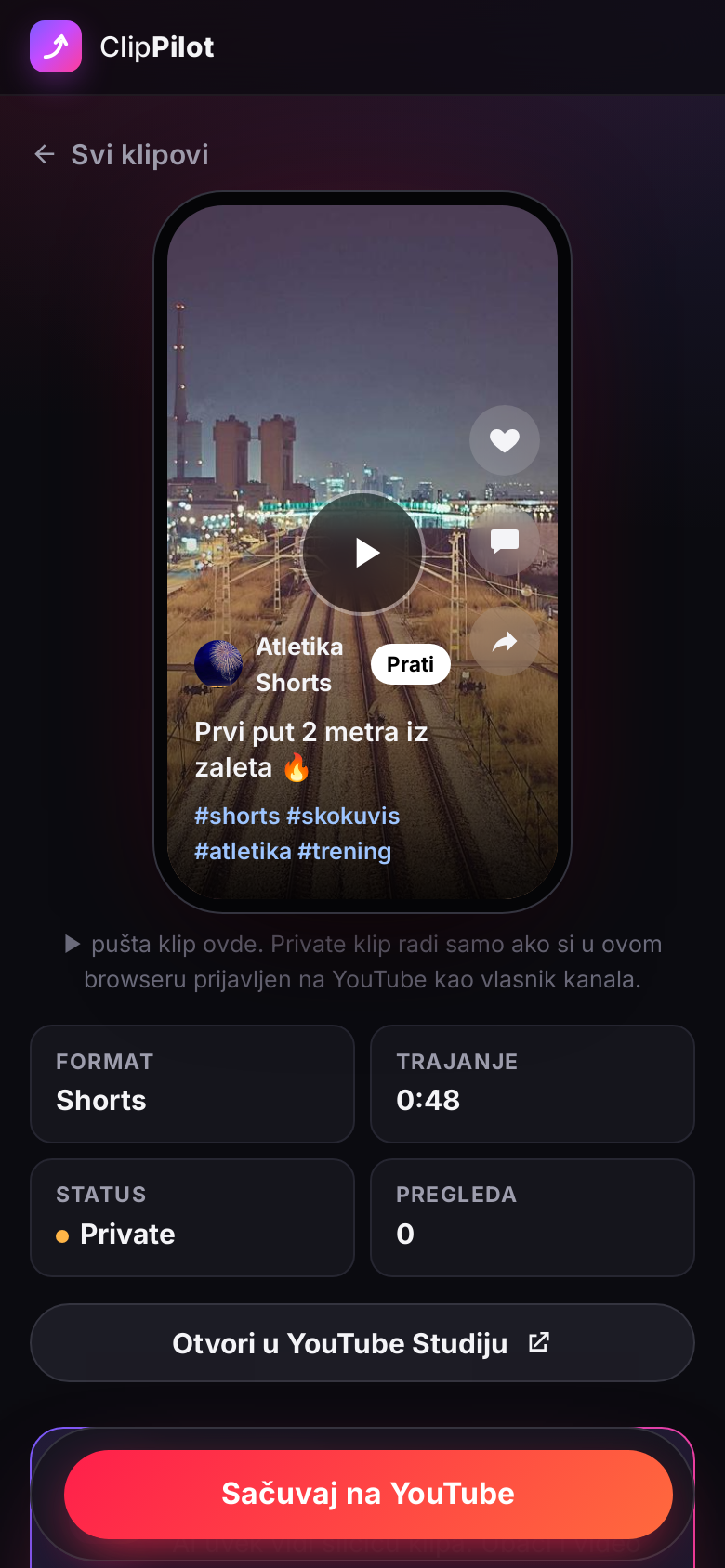
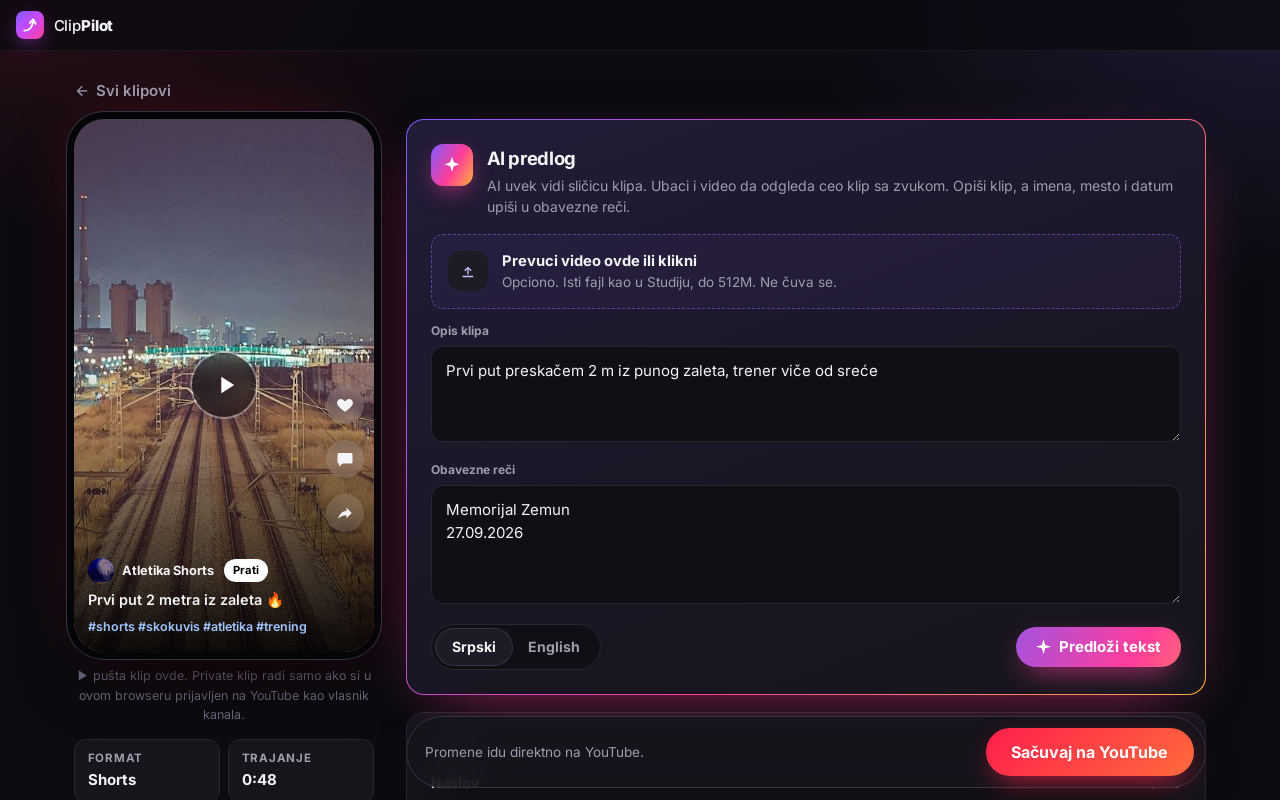
Editing a Short on a phone: preview, title and hashtags

Features

Everything your channel needs to run itself

AI writes the text

Title, description, 8–15 tags and hashtags, in English or Serbian. The AI sees the thumbnail, and if you upload the video it watches the whole clip with sound.

Smart timing

Finds the hour your earlier videos got the most views and suggests it. One video a day, never clashing with what is already scheduled.

Publishing plan

A day-by-day strip shows what is scheduled and what is only suggested. Click a day to open the video.

Preview and player

See how the video looks on a phone while you type the title, and play it right away — no YouTube Studio needed.

Brand accounts

Works with channels on a brand account too — a club, a company or your kid’s channel. You pick which one when you sign in.

You decide

The AI never publishes anything. Nothing reaches YouTube until you click save, and you revoke access with one click in your Google account.

How it works

Four steps, a couple of minutes per clip

  1. 1

    Upload as Private

    Upload your clips in YouTube Studio as Private, no title or description needed.

  2. 2

    Connect your channel

    Sign in with Google. Videos waiting to be published show up right away, each with a suggested time.

  3. 3

    Suggest text

    Write a sentence about the clip or upload the video. The AI fills in the title, description, tags and hashtags.

  4. 4

    Save

    Change what you want and save. The video stays private and YouTube publishes it at the scheduled time.

Screens
Built for Shorts

Screens show made-up videos. The app interface is in Serbian.

FAQ

Before you connect your channel

Does the AI publish videos on its own?

No. The AI only fills in the form. Nothing goes to YouTube until you click save, and the video is published at the time you confirmed.

What do you store about me and my channel?

There is no database. Google access lives only in your session (up to 7 days or until you sign out). Videos, titles and descriptions are read straight from YouTube when you open a page. Details in the Privacy Policy.

How is the publish time chosen?

Separately for Shorts and longer videos: the app looks at the hour your public videos got the most views. If the channel has fewer than 8 such videos yet, it suggests 18:00 and says so next to the time. You can always change it.

Does the AI see my video?

It always sees the thumbnail. It sees the whole video only if you upload it on the video page — Google Gemini then watches it with sound, and the file is deleted right after the suggestion.

Which languages does the AI write in?

English or Serbian (Latin script) — you choose for each video. The app interface itself is currently in Serbian.

Does it work with more than one channel?

Yes, every channel (including brand accounts) is a separate sign-in. The account has to be on the list of allowed accounts.

What’s new

The app grows every day

  1. Mandatory keywords

    • Next to the video description there is now a “Mandatory keywords” field: name, competition, place, date, placement — one per line.
    • The AI uses every one exactly as written (emojis too), puts the most important ones in the title and writes the rest itself.
  2. More reliable and more secure

    • If the AI is busy, the app automatically tries once more before showing an error.
    • Uploading a video for the AI now checks that the file really is a video.
    • Stronger protection for the site and sign-in (security headers, safe sign-out).
  3. New name: ClipPilot

    • YT menadžer is now called ClipPilot and is moving to clippilot.backend2.rs. Everything works the same, and so does sign-in.
    • A new logo: a rising arrow in purple and pink.
  4. Website in Serbian and English

    • The home page, Privacy Policy and Terms of Service are available in English and Serbian, with a language switch in the menu.
    • The website is ready for Google Search (descriptions, sitemap, structured data).
  5. Public website

    • A new home page with a description, screenshots and answers to common questions — the app itself moved to /kanal.
    • Privacy Policy and Terms of Service.
  6. AI watches the whole clip

    • The AI now always sees the thumbnail, and you can also give it the video file — it watches it with sound and writes text based on what really happens.
    • The video is sent only for that suggestion and deleted right after.
  7. Player and a new look

    • Play a video right in the app — no need to open YouTube Studio.
    • New dark design: Shorts cards, a day-by-day publishing plan, and a phone preview that updates while you type the title.
    • Character counters for title, description and tags; hashtags shown as chips.
  8. Brand accounts and launch

    • Sign-in works with channels on brand accounts too (for example a club’s or a child’s channel).
    • The app is live at yt-manager.backend2.rs.
  9. First version

    • Sign in with Google and connect your YouTube channel.
    • AI suggestions for title, description, tags and hashtags, in English or Serbian.
    • Suggested publish time from the channel’s history, one video a day; YouTube publishes it at the scheduled time.

Is your next Short ready?

Connect your channel in a minute — one clip or a hundred, each gets its text and time. Nothing changes on YouTube until you click save.

Connect your YouTube channel

backend2 · sasam09@gmail.com